Instructions on how to permanently delete your data
EdventoPlay provides a seamless, secure way to request the permanent deletion of your account and all associated personal data (including scores, history, and profile info) directly from within the app.
Please follow these steps:
Open the EdventoPlay app and tap on the Profile icon located at the bottom right of the navigation bar.
Tap on the Edit Profile button at the top of your screen, right below your Avatar and Level.
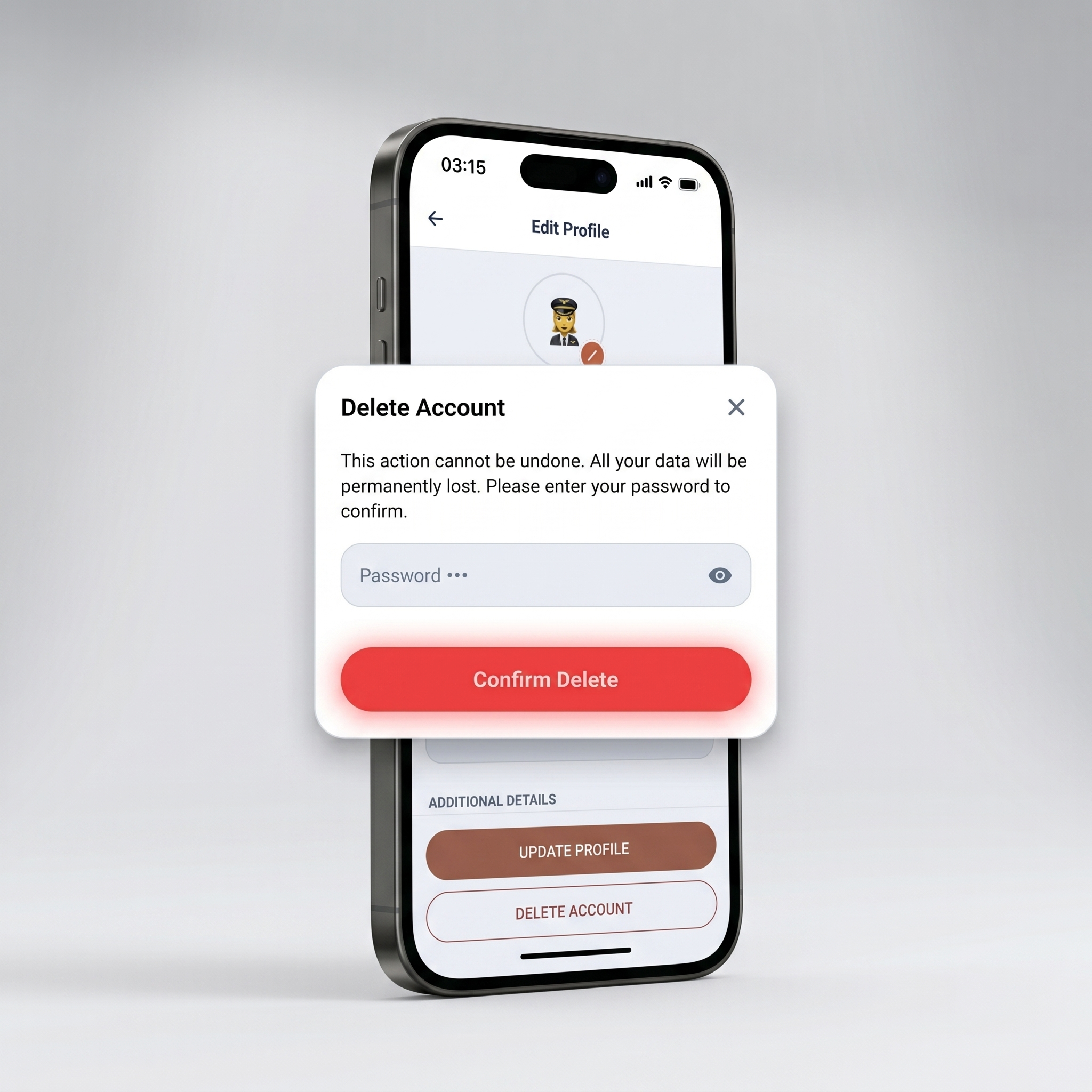
Scroll all the way down to the bottom of the Edit Profile page. Tap the red Delete Account button.
A secure modal will pop up. For your safety, you must enter your current password to confirm you want to permanently delete your data. Tap Delete Account to finalize the process.
 EdventoPlay